Chasing that next 5-star character or saving up Primogems for the latest Genshin Impact banner? Then, it is time to learn how to top up Genshin Impact Genesis Crystals smoothly. This guide will show you exactly how to do it for the global servers, including America, Europe, and Asia. You will get step-by-step instructions, solutions to common issues like why isn’t your top-up working, and tips for getting crystals at a discount. Let’s get your crystals so you can focus on exploring Fontaine’s rivers or Natlan’s flames.
How to Top Up Genesis Crystals on the Official Website?
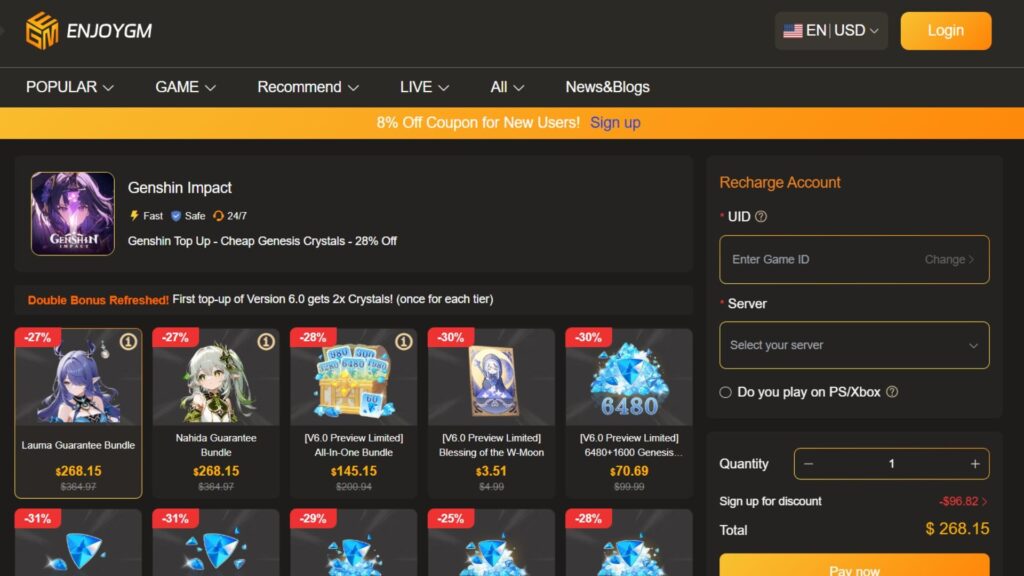
If you want a direct answer for the question: how to top up Genshin Impact on the official site for more genesis crystals, then the answer is the HoYoverse. HoYoverse Top-Up Center is the safest and fastest way to get Genesis Crystals, and there, your purchase is delivered instantly to your in-game mailbox, and all transactions fully support your account’s region and currency.
This method works on PC, mobile (iOS and Android), PS5, and cross-save linked accounts, as long as your HoYoverse account is verified. Prices start at $0.99 for 60 crystals, and larger packs come with bonuses, sometimes giving you hundreds of extra crystals. You can pay with credit/debit cards, PayPal, Apple Pay, Google Pay, and regional options like SEPA in Europe.
For a complete top up process there, these are your steps:
- Log in to HoYoverse: Go to genshin.hoyoverse.com/payment and log in with the same account linked to your Genshin Impact game. If you play across platforms, make sure your account is linked via the in-game User Center to avoid sending crystals to the wrong account.

- Pick Your Server and Character: Choose your region, such as America for NA players. Enter your UID, which you can find at the top-right corner of the game under your avatar. If prompted, select the character for that server so the crystals go to the correct world.
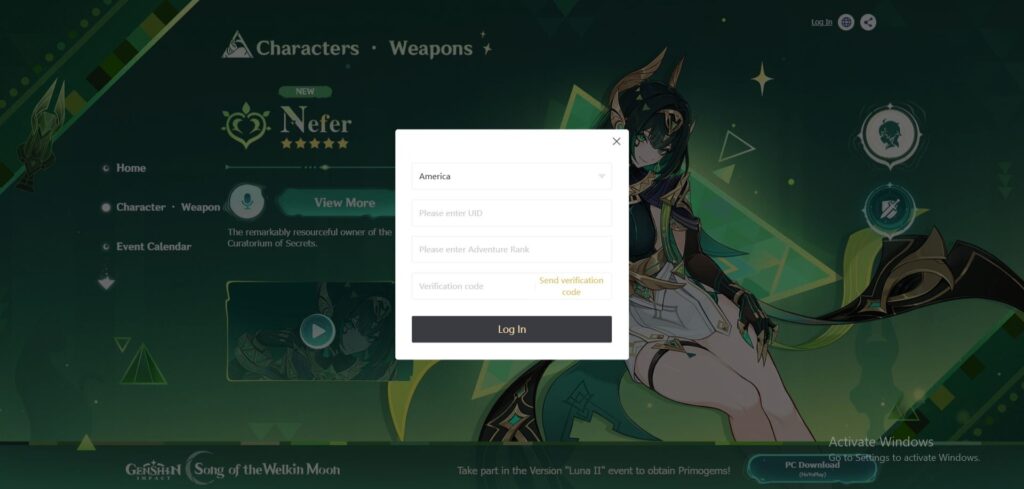
- Choose Your Crystal Package: You can pick from options like 60 crystals for $0.99, 980 + 110 bonus crystals for $14.99, or the biggest pack with 6,480 + 1,600 bonus crystals for $99.99. First-time buyers often get double crystals on eligible packs. You can also add the Blessing of the Welkin Moon, giving 300 crystals immediately and 90 daily Primogems for 30 days. You can stack this up to 180 days.
- Make Your Payment: Review your order, choose your payment method, and complete the transaction. iOS users will be redirected to the App Store, and Android users to Google Play. Your crystals should arrive in under 5 minutes in your in-game mailbox.
- Claim Crystals In-Game: Open Genshin Impact, check your mailbox under the envelope icon, and claim your crystals. You can then convert them to Primogems at a 1:1 ratio in the Crystal menu.
Pro Tip: Top up during special events for extra bonuses like double crystals. If you are on PS5, link your account to HoYoverse first by going to Settings, then Account, then User Center.
Common Genshin Impact Top-Up Issues and How to Fix Them
It can be really frustrating when your top-up doesn’t go through, but most problems happen because of simple mistakes or temporary glitches. Players from all over the world have reported similar issues, and knowing the fixes can save you time and stress. So, following precautions will help you understand why your crystals might not appear and how to get them without waiting endlessly in your mailbox.
| Problem | Why It Happens | Fix |
| Transaction Declined/Error Code | Bank flags it as suspicious, expired card, or regional restrictions (e.g., non-USD cards on NA server). | Switch to PayPal or another card. Contact your bank to whitelist HoYoverse. Clear browser cache and try incognito mode. If persistent, wait 24 hours for fraud checks. |
| “Please Top Up Using the Device You Registered This Account With” | Account security tied to the original login device (e.g., mobile creation, PC attempt). | Log in on your original device first, then top up. For cross-platform, relink via User Center and verify email/SMS. Use the Epic Games Store version on PC for smoother in-game purchases. |
| Crystals Not Showing Up | Server lag, wrong UID/server selected, or cross-save sync delay. | Double-check UID (menu > avatar). Wait 10-15 minutes and relog. If over 30 minutes, contact HoYoverse support with transaction ID—refunds or manual adds are common. |
| “Payment Method Not Supported” | Outdated app/store, VPN interference, or platform-specific limits (e.g., no PC top-up for iOS-only accounts). | Update Genshin and your app store. Disable VPN. For PC, use the website; mobile users, try in-game Shop > Crystal Top-Up. |
| Slow Processing or Failed Delivery | High traffic during banners or payment gateway outage. | Check HoYoverse’s official X (@GenshinImpact) for status. Retry after 1 hour. Use a wired connection to rule out Wi-Fi drops. |
How to Get Discounted Genesis Crystals in Genshin Impact?
You don’t always have to spend full price on Genesis Crystals when there are better options like Enjoygm. Enjoygm is a trusted platform where you can top up your account for less while staying safe. It gives you the chance to save more on big packs, bringing the biggest crystal packs for a cheap price. If you are a first time buyer, then you will often get double crystals, and bundles like “All-In-One” or character-specific packs give even more value. You only need your UID to top up, so there is no need to share your password, keeping your account secure.
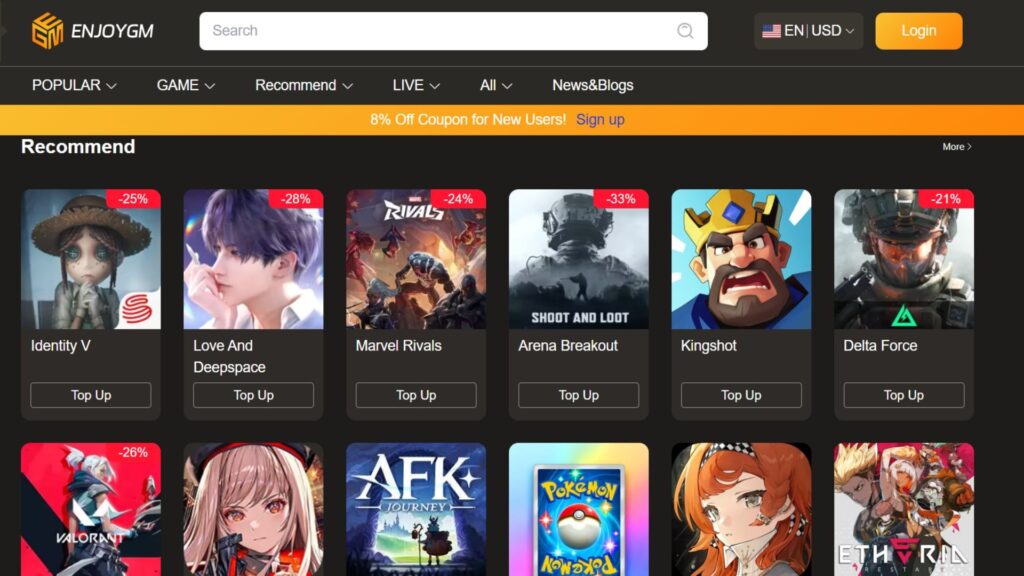
Here’s why Enjoygm is a popular choice in 2025 for cheap crystals:
- Big Savings: Get 26 to 32 percent off official prices, plus seasonal flash deals.
- Instant Delivery: Crystals appear in your game within seconds to minutes, syncing across PC, mobile, and PS.
- Extra Bonuses: Some bundles give extra Primogems, and you can get help anytime through 24/7 chat support.
- Player-Friendly: The platform works with NA, EU, and Asia servers and supports multiple currencies to avoid extra fees.
Compared to buying directly from HoYoverse, Enjoygm can save you more on big packs. It’s a great option if you want to stretch your Primogems without breaking the bank, while being safe. And yes, remember that there is also a chance to earn these as freebies from Genshin Impact codes too.
Step-by-Step Guide to Top Up on Enjoygm
- Visit Enjoygm: Go to enjoygm.com/top-up/genshin-impact.
- Select Your Package: Choose from small packs or large bundles as you want. First-time buyers may get double crystals automatically.
- Enter Your Details: Input your 9-digit HoYoverse UID and server. You don’t need your password since delivery is done through official channels.
- Complete Payment: Pay with PayPal, Visa, Mastercard, Apple Pay, Google Pay, or local options like GCash in Asia. Check the total and confirm the transaction. Discounts are applied automatically.
- Receive Crystals: Your crystals will arrive in your in-game mailbox almost instantly. Convert them to Primogems and enjoy your pulls.
If your crystals are delayed, use Enjoygm’s live chat. Most issues are solved in under five minutes, and they offer full refunds if something goes wrong.
FAQ:
Is Enjoygm safe for Genshin top-ups?
Yes, for occasional use, it is better. Thousands of global players report zero bans, as it uses UID delivery without account access. HoYoverse discourages third-parties due to scam risks, but Enjoygm’s official-channel method and real-time fraud detection keep it low-risk. Stick to verified sites like this over random sellers.
Why choose official over third-party?
Official is 100% ban-proof with direct support, ideal for heavy spenders. But, third-party like Enjoygm shines for 25-30% savings on one-offs, but make sure to monitor for policy shifts.
Can I top up on PS5 via Enjoygm?
Absolutely. If your account started on mobile/PC and is HoYoverse-linked. Primogems sync seamlessly.
Are there taxes or fees?
This can be varied by region (e.g., VAT in EU). But, Enjoygm is transparent, and carry no hidden fees and its discounts cover most.
Conclusion
So, how to top up Genshin Impact on the official site? This guide equips you all to top up confidently, whether saving for Sigewinne or just enjoying Teyvat’s vibes. And now it is time to apply adventuring, and may the odds be ever in your pity!